The tool is safe; the generated app is the question
Bolt.new runs in the browser on StackBlitz's infrastructure and is fine to use. What ships to production is the app it writes for you, and that app is where the security posture is decided — by defaults nobody reviewed, not by a malicious tool. The distinction matters because it tells you where to look: not at Bolt's security page, but at your own repo.
The patterns are the same ones that recur across AI builders because they all optimise for the same thing. An app that works and an app that's safe look identical in a preview; the difference lives in where your keys are, whether endpoints check ownership, and whether your database has access rules. None of that shows up until someone goes looking.
What tends to be wrong in a Bolt-built app
Keys in the frontend is the headline one: to make an integration work fast, the generated code often drops an API key straight into client-side code, where anyone can open the network tab and read it. Exposed keys for paid services turn into other people's bills within hours. Alongside that: endpoints that verify you're logged in but never check that the record you asked for is yours, so changing an ID in a URL loads someone else's data; and, for apps with a database, missing access rules that leave rows readable beyond their owner.
These aren't exotic. They're the default output of 'build me an app that does X' when security wasn't in the prompt — which is exactly why the fix is a verification step, not a better prompt. You check the generated code, find the handful of issues, and close them before launch.
The check before you ship
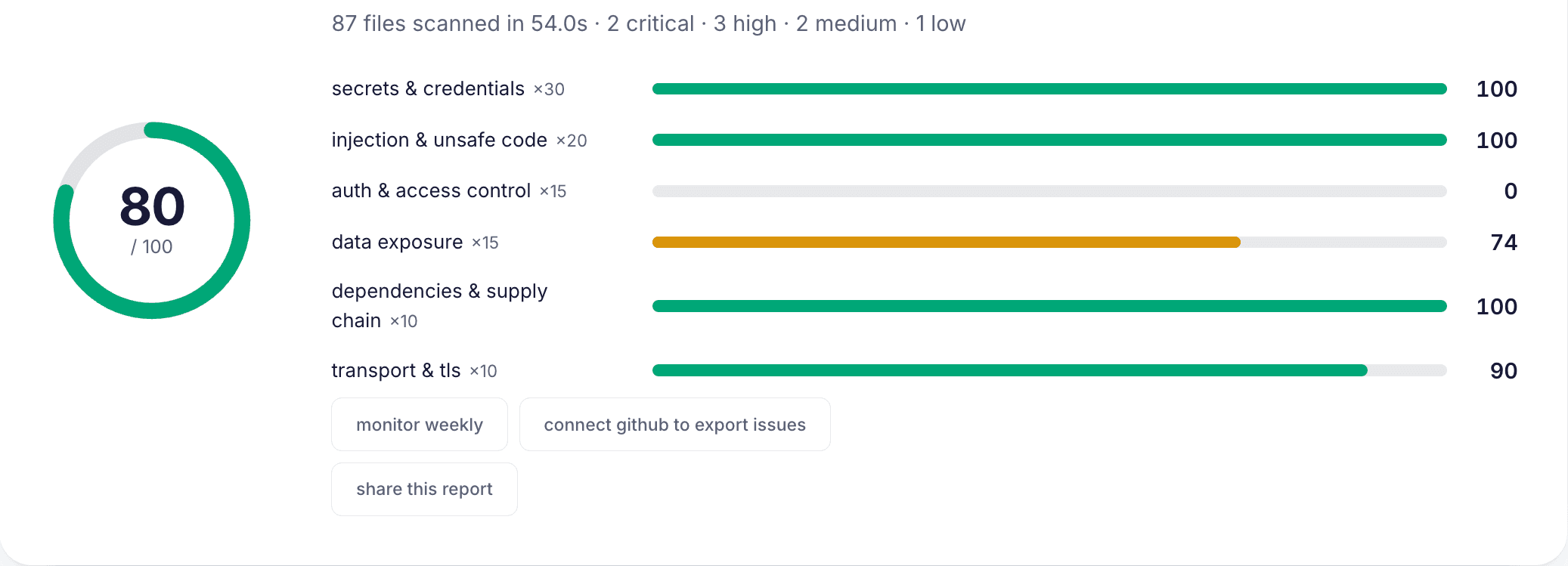
Scan the repo. Paste your Bolt app's GitHub link into secure·vibes and you get a score, each finding with its file and line, and a ready-to-paste fix prompt for the AI tool you're already using — it reads the same public archive anyone can, so nothing needs granting. It looks specifically for the frontend-key, missing-authorisation, and access-rule patterns that dominate generated apps.
Then fix in the right order: rotate any exposed key at the provider first (deleting it from the code doesn't un-leak it), move secrets server-side, add ownership checks to endpoints, enable database access rules, and re-scan to confirm the score moved. That loop — scan, fix, re-scan — is the whole difference between 'it works' and 'it's safe to ship', and it takes minutes on a small app.
how it works
- 01
Ask the right question
Bolt.new the tool is safe; judge the app it generated. The security decisions live in your repo, not on Bolt's platform.
- 02
Scan the repo
Paste your Bolt app's GitHub link into secure·vibes for a score, findings with file and line, and fix prompts.
- 03
Get keys out of the frontend
Search the client bundle for API keys, move them server-side, and rotate any that were exposed — exposed keys become real bills fast.
- 04
Add ownership checks
Confirm endpoints check that a record belongs to the requester, not just that they're logged in. Test by swapping an ID in a URL.
- 05
Enable database access rules
If the app uses Supabase or similar, make sure row-level security is on with real policies so rows aren't readable beyond their owner.
- 06
Fix, then re-scan
Apply the fixes in order (rotate first), then re-scan to confirm the findings cleared before you launch.
frequently asked
Is Bolt.new itself a security risk?
No — Bolt.new the tool, running on StackBlitz, is safe to use. The risk is in the app it generates, which shares the vibe-coded patterns: keys in the frontend, missing authorisation, no database access rules. Check the generated code, not the tool.
What's the most common problem in Bolt apps?
API keys ending up in the frontend bundle, where anyone can read them. Around one in four vibe-coded apps has this. Move secrets server-side and rotate any key that was ever client-side, because it should be treated as already public.
How is this different from checking a Lovable or Cursor app?
It isn't, much — the failure patterns are shared across AI builders because they optimise for the same thing. The check is the same: scan the repo, fix keys/authorisation/access-rules, re-scan. Whatever generated the code, the verification step is identical.
Do I need to scan if my Bolt app is just a prototype?
If it's never public and holds no real data, the urgency is low. The moment it's deployed with real users or real data, scan it first — 'prototype that quietly went live' is exactly how exposed keys and open databases reach production.
Last updated July 16, 2026