Is Claude Code itself safe to run?
Claude Code's core protection is its permission system: before it edits files or runs a shell command, it asks, and you approve or deny. You can build allowlists for commands you trust and deny rules for things it should never touch. Those prompts are the security boundary — the tool is as safe as the permissions you grant it. Your code is processed by Anthropic's API when you use it, so the code you open in it should be code you're comfortable leaving your machine, same as any cloud coding tool.
Three habits cover most of the risk. First, deny it access to secrets: add your .env files and credential stores to the deny list so a scan, a debug session, or a misfired command never puts live keys into a transcript. Second, treat --dangerously-skip-permissions as what its name says: it removes the security boundary entirely, and it belongs only inside an isolated container or VM with nothing valuable in reach — never on your main machine with your real credentials. Third, remember that anything the agent reads is input: a malicious README, a poisoned web page, or a compromised dependency's docs can try to steer the agent (prompt injection). The permission prompts are what stand between a hijacked instruction and an executed command, which is the practical argument for not turning them off.
How secure is the code Claude Code writes?
Better than the worst of AI codegen, and not good enough to skip review. Coding agents optimise for the thing you asked for — working software — and security is usually not in the prompt. The patterns that show up are boringly consistent across tools: API keys pasted where the code needed credentials, endpoints that check whether someone is logged in but not whether they should see that record, SQL assembled from strings because it was the shortest path to working, debug settings that never got flipped for production.
We see this directly: secure·vibes scans self-described vibe-coded and AI-built repos all day, and our 549-repo benchmark found the same handful of finding types over and over regardless of which agent wrote the code. None of this means the code is unusable — it means the security pass is a separate, later step that the agent doesn't do for you unless you make it.
The loop that actually works: rules, scan, fix, re-scan
Standing instructions help more than one-off prompts. A security section in your CLAUDE.md — no hardcoded secrets, environment variables for all credentials, parameterised queries only, no eval on input — applies to every session in that repo without you remembering to ask. It raises the floor; it does not replace verification, because agents follow rules imperfectly and codebases accumulate code from before the rules existed.
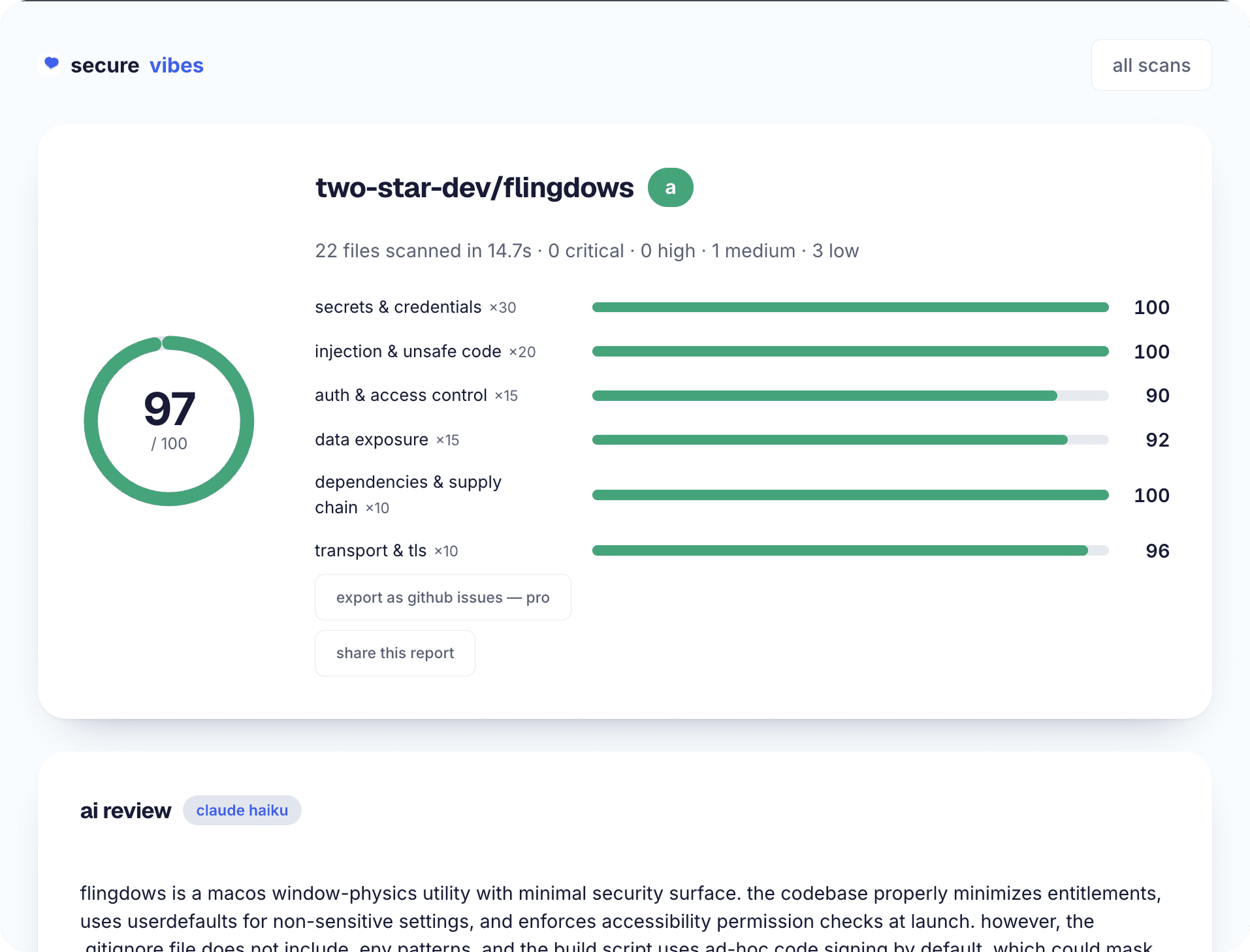
Verification is a scan of the actual repo. Paste the GitHub link into secure·vibes and you get a 0–100 score, every finding with file and line, and — the part that closes the loop — a ready-to-paste Claude prompt per finding, so the same tool that wrote the vulnerability applies the fix as a small, reviewable diff. Fix, re-scan, watch the score move. That's the whole discipline: rules set the floor, the scan finds what slipped through, Claude Code fixes what the scan found.
how it works
- 01
Keep permission prompts on
Approvals before edits and commands are the security boundary. Build an allowlist for routine commands instead of switching prompts off.
- 02
Deny access to secrets
Add .env and credential files to Claude Code's deny rules so live keys never enter a transcript or a tool call.
- 03
Reserve skip-permissions for sandboxes
--dangerously-skip-permissions only inside an isolated container or VM with no real credentials in reach.
- 04
Treat external content as untrusted
Web pages, READMEs, and dependency docs the agent reads can carry injected instructions — let the permission prompt be the checkpoint.
- 05
Put security rules in CLAUDE.md
No hardcoded secrets, env vars for credentials, parameterised queries, no eval on input — standing rules every session inherits.
- 06
Scan before you deploy
Run the repo through secure·vibes: score, findings with file and line, and a fix prompt per finding.
- 07
Fix with Claude Code, then re-scan
Paste each finding's prompt, review the diff, rotate any exposed keys first, and re-scan to confirm the score moved.
frequently asked
Is Claude Code safe to use on private or commercial code?
Your code is sent to Anthropic's API for processing, like any cloud AI coding tool, under Anthropic's commercial terms. The practical risks to manage locally are permissions (keep prompts on), secrets (deny .env access), and what you let it run — not the model seeing your code.
What's the actual risk of --dangerously-skip-permissions?
It removes the approval step on every command and edit, so one hallucinated or injected instruction can execute with your full user privileges — deleting files, exfiltrating credentials, or pushing code. In an isolated container it's a productivity trade; on your main machine it's an incident waiting for a trigger.
Does Claude Code write more secure code than Cursor or Copilot?
The differences are marginal compared to the pattern they share: agents ship what you asked for, and security is rarely what you asked for. In our 549-repo benchmark the same finding types dominate regardless of tool. Whatever wrote the code, the repo gets scanned before it gets deployed.
Can Claude Code find its own security issues?
Asking it to 'review for security' catches some things and misses others inconsistently — discovery by freeform prompt is unreliable. A scan gives you a stable, ranked findings list; Claude Code is excellent at the other half, applying precise fixes. secure·vibes writes the fix prompt for every finding so the two halves connect.
Do I still need a security scan if my CLAUDE.md has security rules?
Yes. Rules raise the floor for new code, but agents follow them imperfectly, and everything written before the rules existed is still in the repo. The scan is the verification step; the rules just mean it finds less.
Last updated July 16, 2026